
6 open-source tools that subtitle your video with Whisper
Six open-source Whisper tools that transcribe video to SRT/VTT offline, fix the timing, style the captions and burn them in — free.
6 tools · Last checked
Speech-to-text APIs bill by the minute, and web subtitle tools upload your footage to someone else's server. These six open-source Whisper tools transcribe on your own machine and hand you SRT files (the standard subtitle format) any editor can load, for nothing.
Every pick is open source, pushed a commit in the last 90 days (checked 2026-11-11), does what its docs claim, and runs offline once its model has downloaded. Ordered as the actual subtitle workflow: transcribe, fix, style, burn.
The 6 tools at a glance #
| Tool | What it does | Price | Install |
|---|---|---|---|
| Vibe | Drop a video, get SRT — offline GUI | Free · OSS (MIT) | Download page |
| WhisperX | Word-level timing + diarization from the CLI | Free · OSS (BSD-2) | pip install whisperx |
| whisper.cpp | The engine, runs anywhere, no Python | Free · OSS (MIT) | clone + cmake |
| Subtitle Edit | Fix timings, convert SRT/VTT/ASS | Free · OSS (MIT) | Releases page |
| Aegisub | Style captions like a typesetter | Free · OSS (BSD-3) | aegisub.org |
| ffmpeg | Burn the captions into the pixels | Free · OSS (LGPL/GPL) | Full build from ffmpeg.org |
1. Vibe: transcribe a video in one drag #
Vibe is a desktop app (macOS, Windows, Linux) that transcribes audio and video entirely offline — drop a file, a folder, or a YouTube URL, and export SRT, VTT, TXT, HTML, PDF or DOCX.
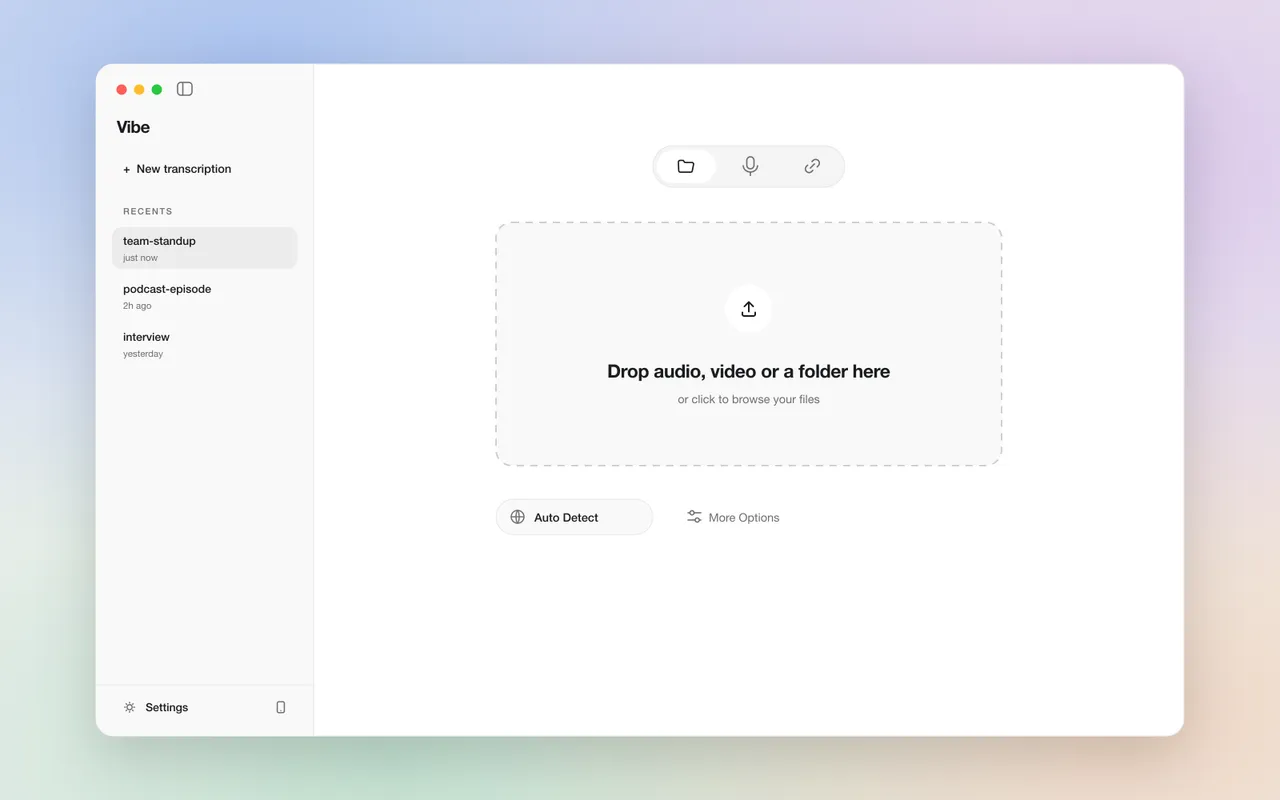
What: Local Whisper-based transcription with batch files, speaker diarization (who spoke when) and a stable-timestamps mode tuned for subtitle-grade timing.
Why: No upload, no per-minute meter — the model downloads once and every transcript after that is free and private.
Use when: You want subtitle files without touching a terminal.
Install: Download the installer for your OS from thewh1teagle.github.io/vibe.
Catch: The stable-timestamps mode trades speed for accuracy and runs slower than normal transcription.
2. WhisperX: word-accurate timing from the terminal #
WhisperX transcribes up to 70× realtime with batched inference, then aligns every word to the audio with wav2vec2 forced alignment — so the SRT it writes is timed per word, not per guessed segment. Speaker diarization labels who said what.
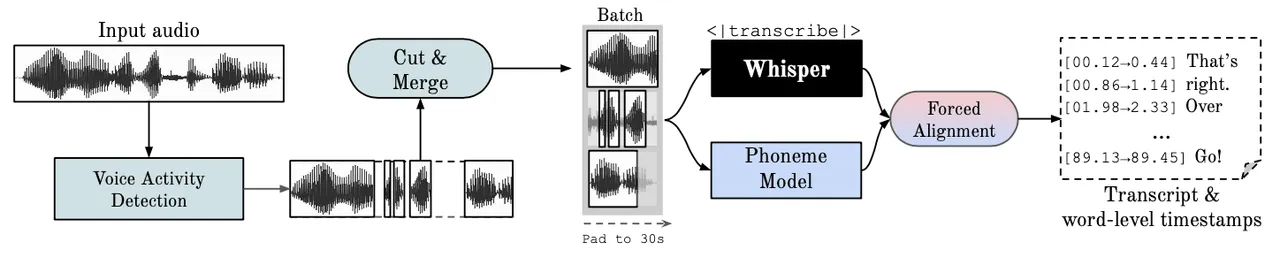
What: A Python CLI that outputs SRT/VTT with word-level timestamps and optional speaker labels.
Why: Whisper's native timestamps drift by seconds; forced alignment pulls them back to the word.
Use when: Long videos, multiple speakers, or a transcription step you want to script and re-run.
Install:
pip install whisperxCatch: Speaker diarization needs a free Hugging Face token passed as --hf_token plus accepting the pyannote model's user agreement.
3. whisper.cpp: the engine, everywhere #
whisper.cpp is Whisper ported to plain C/C++ — no Python, no CUDA required. Its whisper-cli tool transcribes on CPU, Apple Silicon, Windows, Docker, even a Raspberry Pi, and writes files with -osrt.
What: The engine behind many transcription apps, run straight from the command line.
Why: Runs where the Python stack can't — a NAS, a Pi, an old laptop — and starts in seconds.
Use when: You want transcription embedded in your own tool or on modest hardware.
Install:
git clone https://github.com/ggml-org/whisper.cpp && cd whisper.cpp && cmake -B build && cmake --build build -j --config ReleaseCatch: whisper-cli takes 16-bit WAV only — convert first with ffmpeg -i input.mp3 -ar 16000 -ac 1 -c:a pcm_s16le output.wav.
4. Subtitle Edit: fix the timing Whisper got wrong #
Subtitle Edit is a full subtitle editor with Whisper speech-to-text built in: Fix Common Errors, Visual Sync, duration limits, and batch conversion between SRT, VTT and ASS.
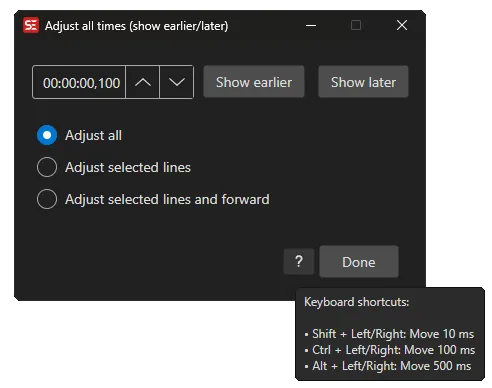
What: The cleanup pass: shift, split, merge, sync and convert subtitle files.
Why: Machine transcripts are rarely publish-ready; this is where they become it.
Use when: After any tool above, before the video ships.
Install: Download the signed installer from Releases — the macOS .dmg is notarized, Linux ships as a Flatpak.
Catch: Windows needs Windows 10 22H2 or newer — older builds can fail to start with a .NET runtime error.
5. Aegisub: style captions like a typesetter #
Aegisub is the classic subtitle editor for styling: colors, fonts, positioning, motion and karaoke effects through ASS override tags, drawn against the video frame.
What: An editor built around ASS, the subtitle format that can actually carry styling.
Why: SRT has no styles; when captions need brand colors and placement, ASS is the format and Aegisub is where it gets written.
Use when: Styled captions for YouTube or reels rather than plain white text.
Install: Get the stable build from aegisub.org or the latest upstream build from its nightly releases.
Catch: No transcription inside — bring the SRT from steps 1–3, and expect a real learning curve.
6. ffmpeg: burn it in, one command #
ffmpeg is the open-source media toolkit; its subtitles filter renders an SRT or ASS file onto the video with libass:
ffmpeg -i video.mp4 -vf "subtitles=captions.srt" out.mp4What: Captions become pixels, for platforms that ignore subtitle files.
Why: For reels and shorts you need text on the frames; ffmpeg does it without opening an editor.
Use when: Exporting the finished file.
Install: Get a full build from the ffmpeg.org download page; run ffmpeg -filters | grep subtitles to confirm it can burn captions.
Catch: The subtitles filter needs libass. Homebrew's ffmpeg and other minimal builds ship without it, so the burn command fails there.
Which one to try first #
Never opened a terminal → #1. Long video, several speakers → #2. Already have a subtitle file → #4. Plain captions for a reel → #6. If you'd rather transcribe in the cloud on free API credits instead of locally, that's our free AI subtitle generator guide.
FAQ
- Is Whisper free to use for subtitles?
- Yes. The Whisper models are MIT-licensed and all six tools in this list are open source, so there is no per-minute billing — you run them on your own machine after the model downloads once.
- Can these tools transcribe offline?
- Yes. Vibe and whisper.cpp run fully offline on your device once the model has been downloaded; WhisperX pulls model weights from Hugging Face on first use and then runs locally.
- How do I burn subtitles into a video for free?
- With ffmpeg: ffmpeg -i video.mp4 -vf "subtitles=captions.srt" out.mp4. For styled captions, export ASS from Subtitle Edit or Aegisub first — ffmpeg renders it through libass.