
6 tools that run your budget on your own server
Six verified open-source tools that run your money on your own server — envelope budgeting, subscriptions, investments and plain-text books.
6 tools · Last checked
Your bank's app knows what you bought and who else does too. The open-source stack keeps every number on your own server: budgeting, subscriptions, investments and even plain-text books.
Every pick pushed a commit in the last 90 days and installs from its own docs. Ordered easy to advanced: polished apps first, the text-based power path last.
The 6 tools at a glance #
| Tool | What it does | Price | Install |
|---|---|---|---|
| Actual Budget | Local-first envelope budgeting | Free · OSS (MIT) | docker run … actualbudget/actual-server:latest |
| Wallos | Subscription tracker | Free · OSS (GPL-3.0) | docker run … bellamy/wallos:latest |
| Ghostfolio | Investment portfolio dashboard | Free · OSS (AGPL-3.0) | clone + docker compose up |
| Firefly III | Full personal finance manager | Free · OSS (AGPL-3.0) | official compose + docker compose up -d |
| Beancount | Plain-text double-entry books | Free · OSS (GPL-2.0) | pip install beancount |
| Fava | Web UI for Beancount | Free · OSS (MIT) | pip install fava |
1. Actual Budget: envelope budgeting that syncs #
Actual is a local-first personal finance tool, free and open source. Your server syncs changes between devices.
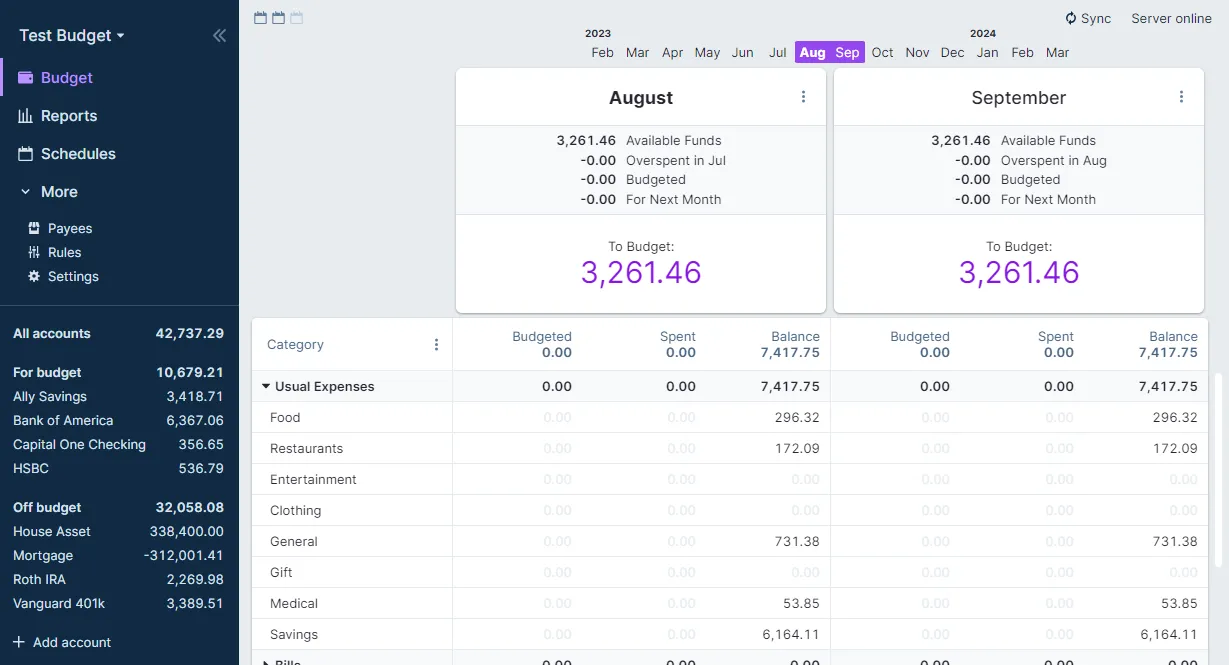
What: Envelope budgeting (every dollar gets a job) in a polished UI, with your server as the sync point.
Why: It behaves like the paid budgeting apps, without the subscription or the cloud account.
Use when: You want the envelope method with real apps, not a spreadsheet.
Install:
docker run --pull=always --restart=unless-stopped -d -p 5006:5006 -v YOUR/PATH/TO/DATA:/data --name my_actual_budget actualbudget/actual-server:latestCatch: The envelope method is opinionated. If you want reports over budgets, Firefly III below fits better.
2. Wallos: every subscription on one page #
Wallos is an open-source subscription tracker: one container that lists what recurs, what it costs and when it renews.
What: Subscription cards with categories, currencies, renewal dates and monthly-cost totals.
Why: Forgotten trials, annual renewals and price hikes show up on one screen.
Use when: You know your groceries but not your subscription bleed.
Install:
docker run -d --name wallos -v /path/to/config/wallos/db:/var/www/html/db -v /path/to/config/wallos/logos:/var/www/html/images/uploads/logos -e TZ=Europe/Berlin -p 8282:80 --restart unless-stopped bellamy/wallos:latestCatch: It tracks subscriptions only. Transactions, accounts and budgets live in the other tools.
3. Ghostfolio: your investments, one dashboard #
Ghostfolio is open-source wealth management software: a portfolio dashboard for stocks, ETFs and crypto.
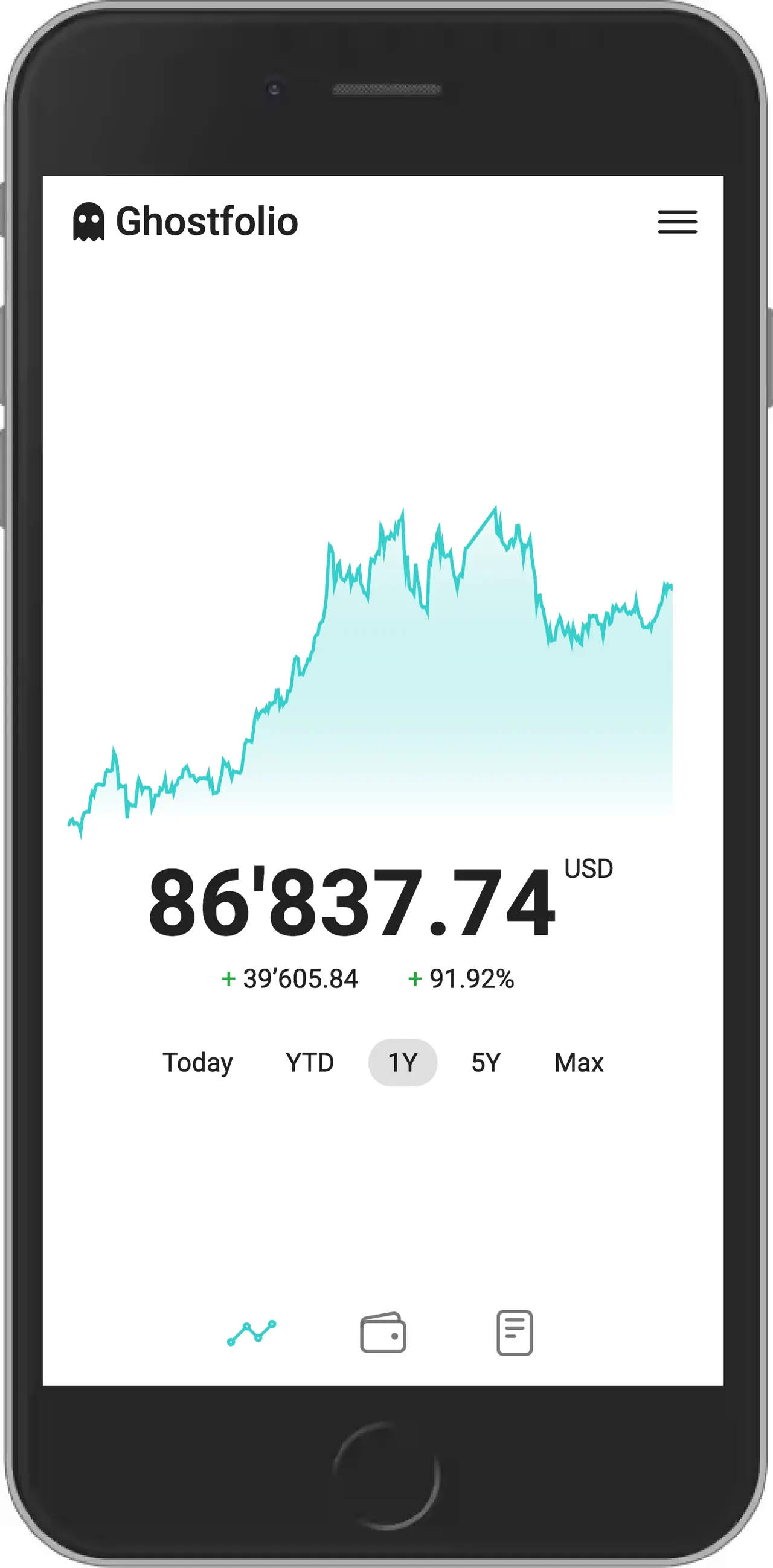
What: Track holdings across accounts, see allocation by asset and sector, and follow performance over time.
Why: Investment tracking usually means feeding a broker's app even more data. Ghostfolio keeps it on your server.
Use when: The budget is fine but nobody is watching the portfolio.
Install:
git clone https://github.com/ghostfolio/ghostfolio.git && cd ghostfolio
cp .env.example .env   # fill in your values first
docker compose -f docker/docker-compose.yml up -d
Catch: It tracks investments, not budgets, so pair it with a budgeting app. Its own market-data source is a paid Premium feature.
4. Firefly III: the full personal finance manager #
Firefly III is a free, open-source personal finance manager: "No AI, no cloud and privacy-friendly", in its own words.
What: Accounts, transactions, budgets, piggy banks, rules and reports, with a Data Importer container for bank files and connections.
Why: The most complete feature set here, rules engine included, after over a decade of development.
Use when: You want one serious manager for everything money, not a tool per job.
Install:
# the docs' download steps, as commands
curl -sLO https://raw.githubusercontent.com/firefly-iii/docker/main/docker-compose.yml
curl -sL https://raw.githubusercontent.com/firefly-iii/firefly-iii/main/.env.example -o .env
curl -sL https://raw.githubusercontent.com/firefly-iii/docker/main/database.env -o .db.env
# set DB_PASSWORD in .env and the same MYSQL_PASSWORD in .db.env, then:
docker compose -f docker-compose.yml up -d --pull=always
Catch: Setup takes two config files and a database container, and bank imports need the separate Data Importer.
5. Beancount: the books are text files #
Beancount is double-entry accounting from text files: a command-line ledger that checks every transaction balances.
What: A Python engine: you write entries in a text format, and Beancount validates every debit and credit.
Why: Your financial history becomes plain text you can search, diff and back up. No database to trust.
Use when: You live in editors and git and want your money the same way.
Install:
pip install beancountCatch: Everything is hand-written text until you add importers. The steepest start on this list.
6. Fava: Beancount, with a face #
Fava is a web interface for Beancount: charts, filters and balance sheets over your text ledger.
What: Run fava ledger.beancount and browse your books: statements, trends and query results in a browser.
Why: It removes the CLI barrier from the plain-text path without giving up the files.
Use when: You chose Beancount but still want a dashboard.
Install:
pip install favaCatch: It needs an existing Beancount ledger, so you still learn the Beancount syntax.
Which one to try first #
Envelope budgets like the paid apps → #1. Subscription bleed → #2. Nobody watches the portfolio → #3. One manager for everything → #4. Books as text files → #5 and #6 together.
FAQ
- Can these tools import my bank transactions?
- Firefly III ships a separate Data Importer container for bank files and connections. For the other tools, CSV import is the norm, so check each project's docs for bank-sync options in your country.
- Which one is best for tracking investments?
- Ghostfolio. It is built for portfolios: holdings across accounts, allocation by asset and sector, and long-term performance charts.
- Is plain-text accounting worth the effort?
- If you already live in editors and git, yes: Beancount gives you searchable, diffable books that outlive any app, and Fava adds the browser dashboard. Expect the steepest start of this list.